Connectivity & Integration

Connect every device, whatever protocol it speaks.

Protocol handling lives in configurable containerized services, kept separate from the device model. Add MQTT, HTTP or LoRaWAN equipment without changing how the platform describes it.
Book a DemoTalk to an Expert

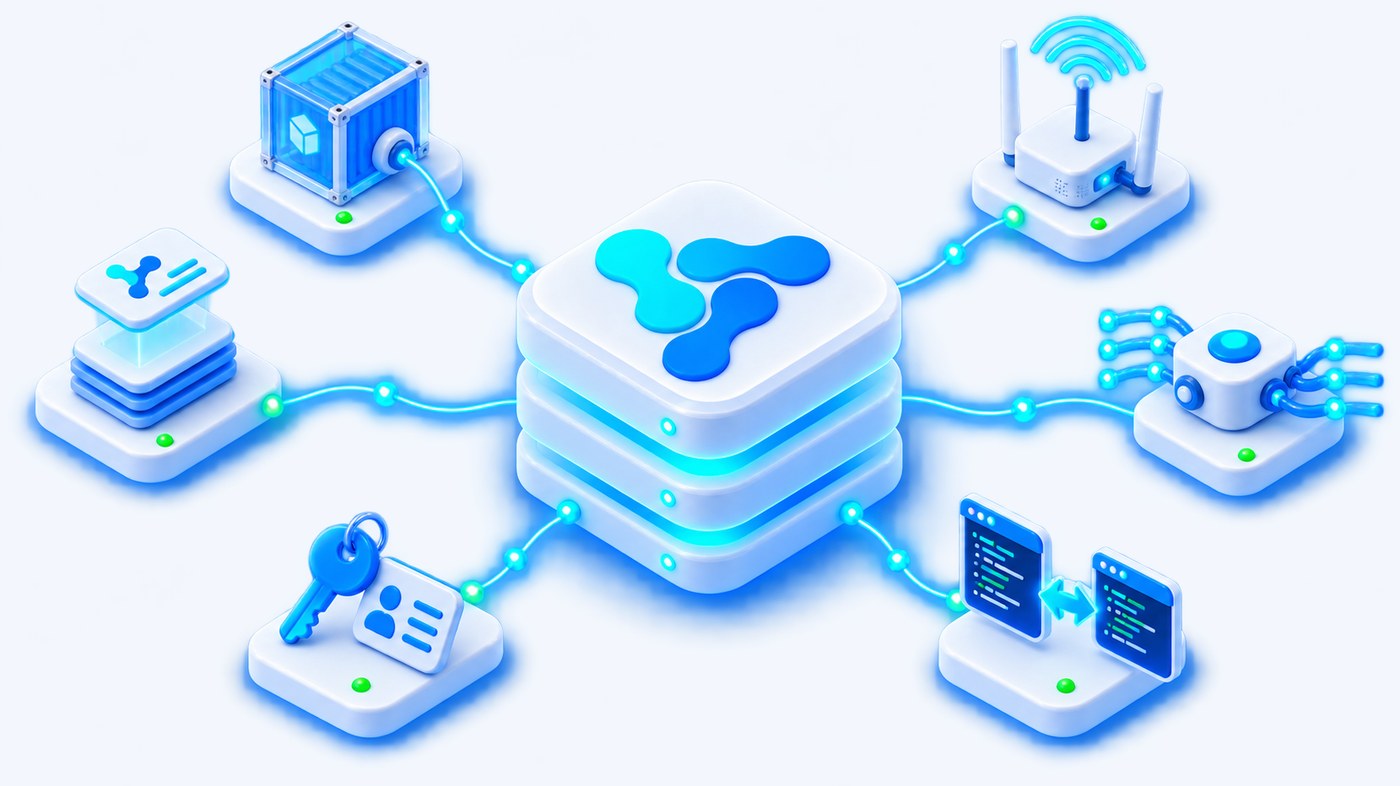
Vision Smart Platform connectivity: containerized protocol services, LoRaWAN gateway, message broker, paired CODEC editors and enrollment templates
ContainerizedProtocol services instantiated and configured per deployment
SeparatedCommunication settings never touch the functional device model
InheritedKeys and network parameters come down the version chain

Protocol handling, configured rather than coded.

Every device is bound to an integration type and a protocol instance. That binding defines how it enrolls, how it sends data and how it receives commands — and it is set once, at version level, not device by device.

Containerized protocol services
Instantiate and configure the services behind common protocols and complex integrations, so protocol configuration stays separate from the device’s functional model.
MQTT and HTTP
Servers and clients for the two most common transport patterns, configured and run as platform-managed instances rather than as external infrastructure.
LoRaWAN through ChirpStack
Integration with ChirpStack for LoRaWAN fleets, with the network server’s data and metadata synchronized into the platform registry.
CODEC editors
Two code editors side by side on controller models and versions: one encodes the commands sent to the device, one decodes the payloads it returns.
Enrollment metadata
Keys, identifiers, network parameters and protocol instances attached to devices at enrollment, individually or through a template.
Registry synchronization
External data and metadata kept in step with the platform registry, so what the integration knows and what the platform knows do not drift apart.

No keys typed on the device form.

An instance form has no protocol field, no key field and no network identifier. The communication configuration is determined by the chain the device inherits — which is what makes enrolling the thousandth device the same amount of work as the first.

1
Version
The commercial subtype of the model carries the integration type, a required field, together with the enrollment template.
2
Integration type
Determines the internal mode of interaction: how the device enrolls, how it transmits data and how it receives commands.
3
Enrollment template
Supplies the keys, identifiers and network parameters, applied to one device or to a whole batch.
4
Device instance
Receives its communication configuration by inheritance, plus the context of its IoT system and controller. Its enrollment state is shown on the device sheet.

Raw payloads become structures the platform can query.

The decoder receives the raw payload and returns a data structure that metric templates can read. The encoder does the reverse for commands. Both live on the model and on the version, in a pair of editors with a language selector, and both can be downloaded or uploaded as files.

Decoderpayload → structure
1function decode(payload) {
2 if (payload.length !== 4) return null;
3 
4 const t = (payload[0] << 8) | payload[1];
5 const h = (payload[2] << 8) | payload[3];
6 
7 return {
8 temperature: (t > 32767 ? t - 65536 : t) / 100,
9 humidity: h / 100
10 };
11}
Encodercommand → payload
1function encode(command) {
2 const level = command.params.level;
3 
4 return [
5 0x02,
6 level & 0xFF
7 ];
8}

Illustrative example, following the decoder described in the platform documentation for a temperature and humidity node: it validates the payload length, reconstructs two-byte values, handles the sign and returns scaled results. Changes to this code are audited individually, as entries of the form the Decoder field was changed.

Enrollment that scales past the pilot.

Enrollment attaches to a device the metadata an integration needs: keys, identifiers, network parameters and its protocol instance. The platform supports it one device at a time and in bulk, through the same templates.

Individual
One device at a time
  • Keys, identifiers and network parameters set as properties of that device
  • Protocol instance assigned from the inherited integration type
  • Enrollment state visible on the device sheet, with the date it started
Template
A whole batch at once
  • Enrollment templates standardize the metadata applied to every device
  • Bulk properties instead of a form filled a thousand times
  • The same template referenced from the version, so new devices pick it up automatically
Import
A file, in three steps
  • The multiple-add wizard walks through import in three steps
  • The file structure is imposed by the template downloaded for the chosen version
  • No separate column-mapping step, because the template already defines the structure

Connectivity is the first step, not the whole job.

Getting a payload into the platform is worth little on its own. It matters because of what happens next: the same path carries every reading from the field to the rule, the dashboard and the map, with no bespoke handling per device type.

1
Field
Sensors and simple devices produce the readings.
2
Controller
Controllers and gateways collect and forward them.
3
Integration
A protocol or integration instance carries the payload into the platform.
4
CODEC
The decoder turns the raw payload into a queryable structure.
5
Metric templates
Values are extracted, typed and persisted with their timestamps.
6
Operations
Rules, dashboards and maps act on the result.

Bring us the device we haven’t connected yet.

Send us a payload sample and the protocol it arrives on. We will show you the integration instance, the decoder and the metrics that come out the other side.

Discuss your project